
Best Bitcoin Hardware Wallets
Secure your Bitcoin offline with a hardware wallet. Your keys, your coins.
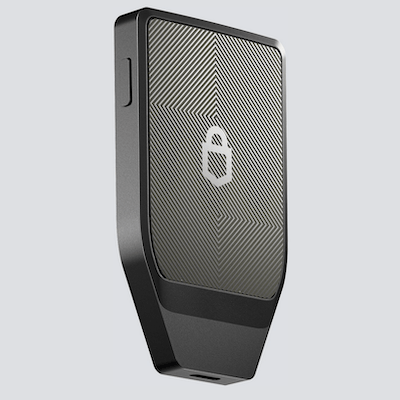
Trezor Safe 7
Trezor's flagship with Secure Element chip, color touchscreen & quantum-ready security.
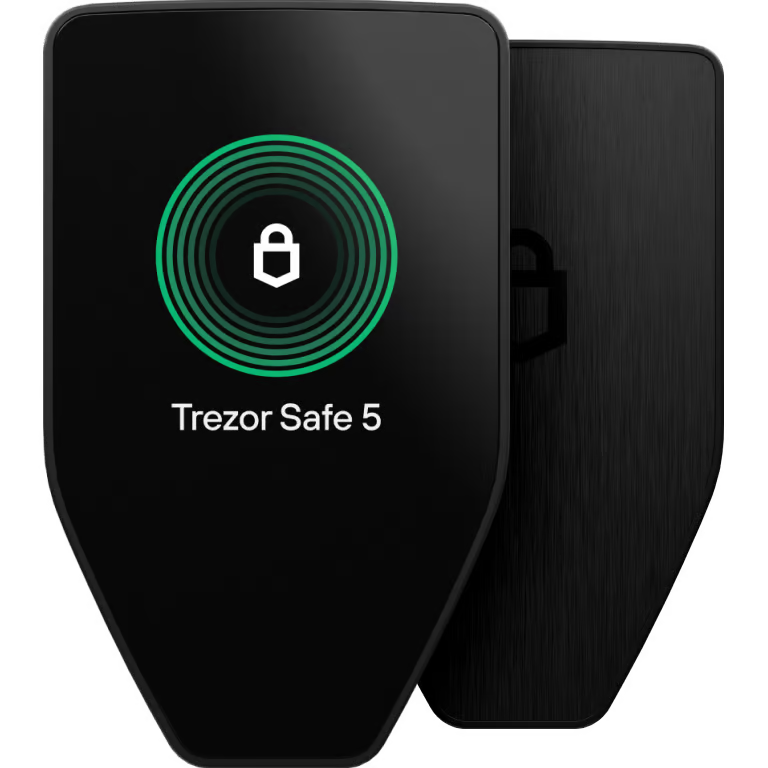
Trezor Safe 5
Exceptional convenience with a vibrant color touchscreen & haptic feedback. Supports 1000s of coins.
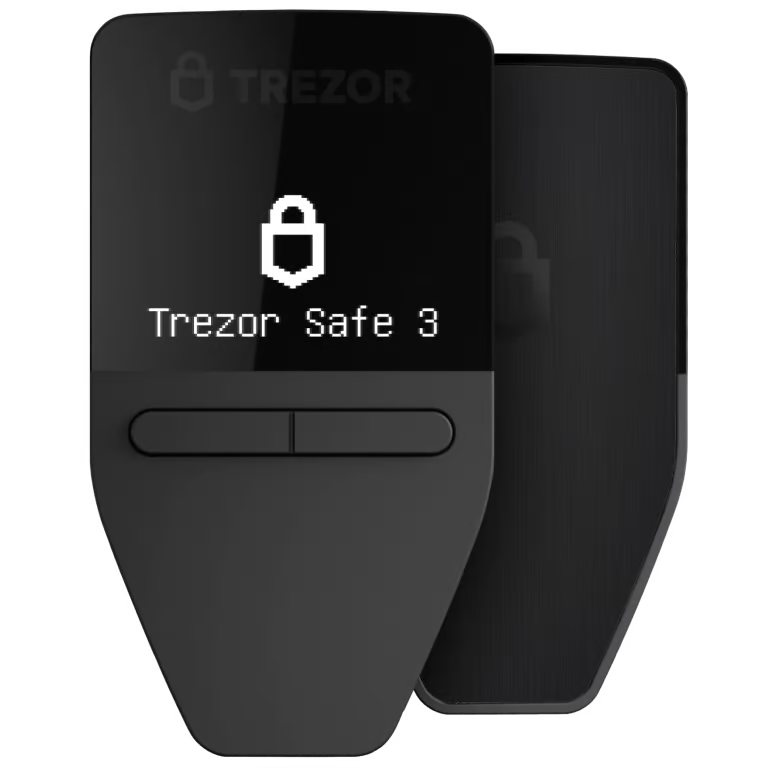
Trezor Safe 3
Entry-level hardware wallet with EAL6+ Secure Element at an affordable $79 price.
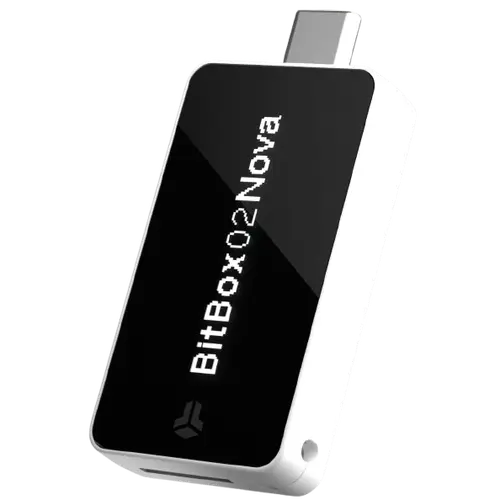
BitBox02 Nova
Latest Swiss-made hardware wallet with EAL6+ secure chip, glass OLED display, and Bluetooth for iOS.
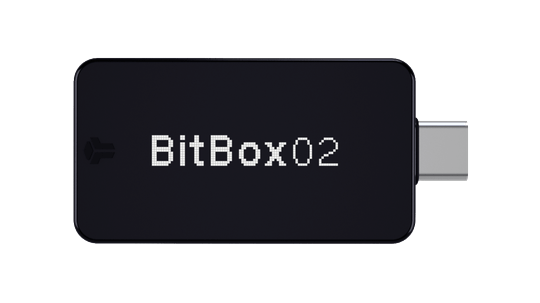
BitBox
Swiss-made, open-source hardware wallet. Simple setup, microSD backup, Bitcoin-only option.
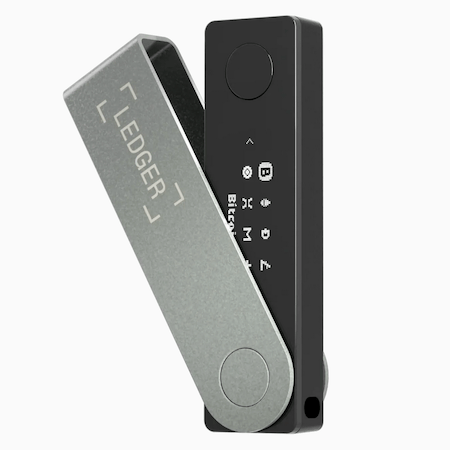
Ledger
4 different types of hardware wallets, some advanced and some basic and budget options.

Blockstream Jade
Affordable Bitcoin-only hardware wallet (10% off with code 1T0O81)
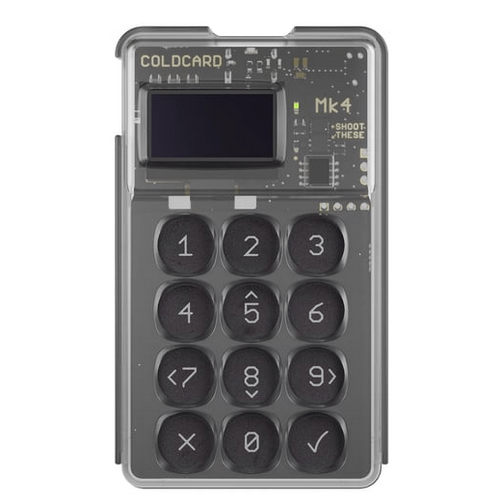
Coldcard Mk4
Bitcoin-only hardware wallet for security-focused users. Dual secure elements, air-gapped operation.
A hardware wallet keeps your Bitcoin private keys offline on a dedicated device, protecting them from hackers and malware. It's the gold standard for securing any significant Bitcoin holdings.
💡 Hardware wallets don't store your Bitcoin — they store the private keys that control your Bitcoin on the blockchain. Even if the device breaks, you can recover your funds with your seed phrase backup.
Compare Hardware Wallets
| Wallet | Best For | Price | Coins | Screen |
|---|---|---|---|---|
|
Trezor Safe 7
|
Quantum Ready | $249 | Bitcoin + 9,000+ coins | Color Touchscreen |
|
Trezor Safe 5
|
Best Value | $169 | Bitcoin + 9,000+ coins | Color Touchscreen |
|
Trezor Safe 3
|
Budget Option | $79 | Bitcoin + 8,000+ coins | OLED + Buttons |
|
BitBox02 Nova
|
iOS Users | $169 | Bitcoin + 1,500+ coins | Glass OLED + Touch |
|
BitBox
|
Swiss Quality | $149 | Bitcoin-only or Multi edition | OLED + Touch Slider |
|
Ledger
|
Multicoins | $79–$399 | Bitcoin + 5,500+ coins | Varies by Model |
|
Blockstream Jade
|
Budget | $65 | Bitcoin + Liquid | Color + Buttons |
|
Coldcard Mk4
|
Advanced Bitcoiners | $157 | Bitcoin only | OLED + Keypad |
| Brand | Rating | Reviews | Source |
|---|---|---|---|
 BitBox
|
1,985 | Trustpilot | |
 Trezor
|
1,689 | Trustpilot | |
 Coldcard
|
53 | HeyApollo | |
|
Jade
|
73 | HeyApollo | |
 Ledger
|
2,381 | Trustpilot |
WalletScrutiny tests whether a wallet provider could theoretically steal all user funds at once (a "retirement attack"). It checks if the code is open source and verifiable — not whether the wallet is secure against all threats.
What it does: Verifies the wallet is real, available, self-custodial, has proper transaction verification, and that the source code is publicly available and reproducible.
What it doesn't do: This is NOT a full security audit. It doesn't test for vulnerabilities, bugs, or endorse any wallet's overall security.
| Wallet | Score | Failed Tests |
|---|---|---|
|
BitBox02
|
10/10 | — |
|
Coldcard Q
|
10/10 | — |
|
Coldcard Mk4
|
10/10 | — |
|
Trezor Safe 7
|
10/10 | — |
|
Trezor Safe 5
|
10/10 | — |
|
Trezor Safe 3
|
10/10 | — |
|
Jade Plus
|
10/10 | — |
|
Jade
|
10/10 | — |
|
Ledger Stax
|
8/10 | No source code for current release |
|
Ledger Flex
|
8/10 | No source code for current release |
|
Ledger Nano X
|
8/10 | No source code for current release |
|
Ledger Nano S Plus
|
8/10 | No source code for current release |
Wallet Details
Trezor Safe 7
Trezor Safe 7 is the world's first quantum-ready hardware wallet. It already protects critical internal functions against quantum threats and is built to handle future post-quantum cryptographic updates. Trezor invented the hardware wallet in 2014, and the Safe 7 features a vibrant color touchscreen, haptic feedback, wireless connectivity, and supports thousands of cryptocurrencies.
- World's first quantum-ready hardware wallet
- Built to support post-quantum firmware updates
- Invented the hardware wallet category
- 2.5" high-res color touchscreen (520x380 px)
- Wireless Bluetooth connectivity
- IP67 water and dust resistant
- Fully open source
- Bitcoin-only firmware option
- EAL6+ Secure Element
- Premium price point ($249)
- Quantum-proof requires blockchain upgrades too
- Wireless features may be unnecessary for some
Trezor Safe 5
The Trezor Safe 5 offers exceptional convenience with a vibrant 1.54" color touchscreen and Trezor Touch haptic feedback. Features EAL6+ Secure Element protection and supports thousands of coins and tokens. Bitcoin-only firmware also available.
- Vibrant color touchscreen (240x240 px)
- Haptic feedback for confident confirmations
- EAL6+ Secure Element protection
- Gorilla Glass 3 scratch-resistant display
- Supports 1000s of coins & tokens
- Fully open source
- Bitcoin-only firmware option available
- 20-word backup standard with Multi-share option
- Premium price point vs Safe 3
- Smaller screen than Safe 7
- No wireless connectivity
Trezor Safe 3
The Trezor Safe 3 is Trezor's entry-level hardware wallet, offering EAL6+ Secure Element protection at an affordable price. Features a 0.96" OLED display, two-button interface, and USB-C connectivity. Supports thousands of coins and tokens.
- Affordable entry point at $79
- EAL6+ certified Secure Element
- Fully open source
- USB-C connectivity
- Bitcoin-only firmware available
- PIN & passphrase protection
- Compact and portable design
- Small monochrome OLED screen
- No touchscreen (two-button interface)
- No wireless connectivity
BitBox02 Nova
BitBox02 Nova is the latest Swiss-made hardware wallet featuring an EAL6+ certified secure chip, glass OLED display, and Bluetooth connectivity for iPhone/iPad support. Fully open-source firmware available in Bitcoin-only and Multi editions.
- EAL6+ certified secure element
- Bluetooth for iOS/iPhone support
- Glass OLED display
- Fully open source
- Swiss quality and privacy
- Bitcoin-only edition available
- USB-C connectivity
- Premium price point
- Smaller screen than some competitors
- Newer model with less track record
BitBox
BitBox02 is a Swiss-made hardware wallet with a minimalist design. Available in Bitcoin-only and Multi editions. Features secure element, microSD backup, and fully open-source firmware.
- Swiss quality and privacy standards
- Bitcoin-only edition available
- Fully open source
- Secure element chip
- Simple touch-slider interface
- Smaller screen than competitors
- Less brand recognition
- Limited third-party wallet support
Ledger
Ledger is the world's largest hardware wallet manufacturer. Multiple models available from budget (Nano S Plus) to premium (Stax/Flex). Secure element chip protects private keys.
- Range of price points ($79–$399)
- Secure element chip
- Supports 5,500+ cryptocurrencies
- Bluetooth on premium models
- Large user community
- Closed-source secure element firmware
- 2023 Ledger Recover controversy
- Customer data breach in 2020
Blockstream Jade
Blockstream Jade offers excellent value with a color screen, camera for air-gapped QR signing, and fully open-source design. Supports Bitcoin and Liquid Network.
- Best value hardware wallet ($65)
- Fully open source
- Built-in camera for QR code signing
- Air-gapped operation possible
- 10% off with code 1T0O81
- No secure element (uses virtual secure element)
- Limited to Bitcoin and Liquid
- Smaller company than competitors
Coldcard Mk4
The Coldcard Mk4 is the gold standard for Bitcoin-only hardware wallets. Features dual secure elements, fully air-gapped operation via MicroSD or NFC, and advanced security features like duress PINs and brick PINs. Made in Canada by Coinkite.
- Dual secure element chips (2 vendors)
- Fully air-gapped operation — never needs to touch a computer
- NFC chip for tap-to-sign PSBTs
- Advanced security (duress PIN, brick PIN, decoy wallets)
- MicroSD backup and transaction signing
- Tamper-evident supply chain (numbered bags)
- Fully open source
- USB-C connection
- Steeper learning curve
- Small 128x64 OLED screen
- Bitcoin only (no altcoins)
- More expensive than basic hardware wallets
Bitcoin has the advantage that you can send it to people all over the world and store it on a hardware wallet, which is a fairly secure way to store it.
Multisig Integrations
Many hardware wallets integrate with multisig custody solutions for enhanced security. Here's which wallets work with the major providers:
Expert Advice: Bitcoin security expert Jameson Lopp, co-founder of Casa, recommends using multi-signature setups with hardware wallets from different manufacturers for significant holdings. Lopp states this eliminates single points of failure and provides redundancy if one device or company has security issues.
| Provider | Trezor | Ledger | Coldcard | Other |
|---|---|---|---|---|
 Unchained
|
✓ Safe 7
✓ Safe 5
✓ Safe 3
✓ Model T
✓ Model One
|
✓ Stax
✓ Flex
✓ Nano X
✓ Nano S Plus
✓ Nano S (legacy)
|
✓ Q
✓ Mk4
✓ Mk3/Mk2 (legacy)
|
✓ Jade Plus
✓ Jade
✓ BitBox02 Nova
✓ BitBox02
|
 Casa
Casa
|
✓ Safe 3
✓ Model T
✓ Model One
|
✓ All models
|
✓ Coldcard
|
✓ Keystone
✓ Passport
✓ YubiKey
|
Unchained
Casa
Hardware Wallet Brands & Devices
Each of the top brands sells multiple devices, so we've listed them here to help clear up any confusion.
Trezor
5 devices
Ledger
5 devices
Blockstream
2 devices
Coldcard
2 devices
BitBox
2 devices
Frequently Asked Questions
What happens if my hardware wallet breaks?
If your hardware wallet breaks, you can always restore it using a backup seed. Every hardware wallet, no matter which company, will make you create a backup when setting up your wallet.
Can I recover my Bitcoin without the hardware wallet?
Yes, you do not need to spend money on a new hardware wallet in order to recover your funds. Your seed phrase can be imported into any compatible wallet software or a new hardware wallet from any manufacturer.
Is a hardware wallet better than a software wallet?
Better depends on what you need it for. Generally, experts say that hardware wallets offer better security. Software wallets can be easier to spend from, making them more convenient.
What is cold storage vs a hot wallet?
Hot wallet: A wallet connected to the internet (mobile apps, browser extensions, exchange accounts). Convenient for daily transactions but more vulnerable to hacks.
Cold storage: Any wallet that keeps private keys completely offline. This includes hardware wallets, paper wallets, and steel backups. Much more secure for long-term holdings.
What happens if my hardware wallet company goes out of business?
Your Bitcoin is safe! Hardware wallets use standard BIP39 seed phrases. If Trezor or Ledger shut down tomorrow, you could restore your wallet using any compatible software (like Electrum, Sparrow, or BlueWallet) with your 24-word seed phrase.
This is why backing up your seed phrase on steel is so important — it's your ultimate recovery tool.
Do I need both a hardware wallet AND a steel backup?
Yes, we recommend both. A hardware wallet secures your daily signing operations, but the seed phrase is the master key to your funds.
If your hardware wallet is lost, stolen, or damaged, you can recover everything from your seed phrase. A steel backup protects that seed from fire, flood, and corrosion — threats that would destroy paper.
What's the difference between self-custody and collaborative custody?
Self-custody: You hold all the keys. Full control, full responsibility. If you lose your seed phrase, your Bitcoin is gone forever.
Collaborative custody (multisig): Multiple keys are required to move funds (e.g., 2-of-3). Services like Unchained hold one key while you hold two. This provides recovery assistance without giving up control — you can always move your Bitcoin without their permission.
Is it safe to use a custodial wallet like River?
Custodial wallets mean someone else holds your keys — "not your keys, not your coins." However, reputable custodians like River offer proof of reserves so you can verify they actually hold your Bitcoin.
Custodial options can be a good starting point for beginners not yet comfortable with self-custody. River specifically offers automatic withdrawals to self-custody, making it easy to transition when you're ready.
Which hardware wallet is best for beginners?
For most beginners, we recommend Trezor Safe 5 or Blockstream Jade:
- Trezor Safe 5 ($169) — Beautiful touchscreen, intuitive setup, excellent documentation
- Blockstream Jade ($65) — Best value, fully open source, great for Bitcoin-only users
Both are open source and have strong track records. Jade is the budget pick; Trezor offers a more premium experience.
Why aren't Tangem, Ellipal, or Dcent listed?
We haven't been able to test these hardware wallets yet, and don't know enough about them right now. We may add them in the future.
Disclaimer: The information provided on this page is for informational purposes only and does not constitute financial advice. Hardware wallets involve technical complexity — always follow manufacturer instructions carefully and test your backup recovery process before storing significant funds. We recommend purchasing hardware wallets directly from manufacturers to avoid tampered devices. Some links on this page may be affiliate links, which help support our research at no extra cost to you.
Sources
- WalletScrutiny.com — Hardware wallet verification scores by Leo Wandersleb